
Heard about eSIM but not sure what it means or how to get it running on your phone? Here is a plain explanation of what eSIM is, how it differs from a classic SIM, which phones support it, and how to get one from Orange, Vodafone, or Digi. You will also find exact steps for iPhone and for Samsung.
What eSIM is
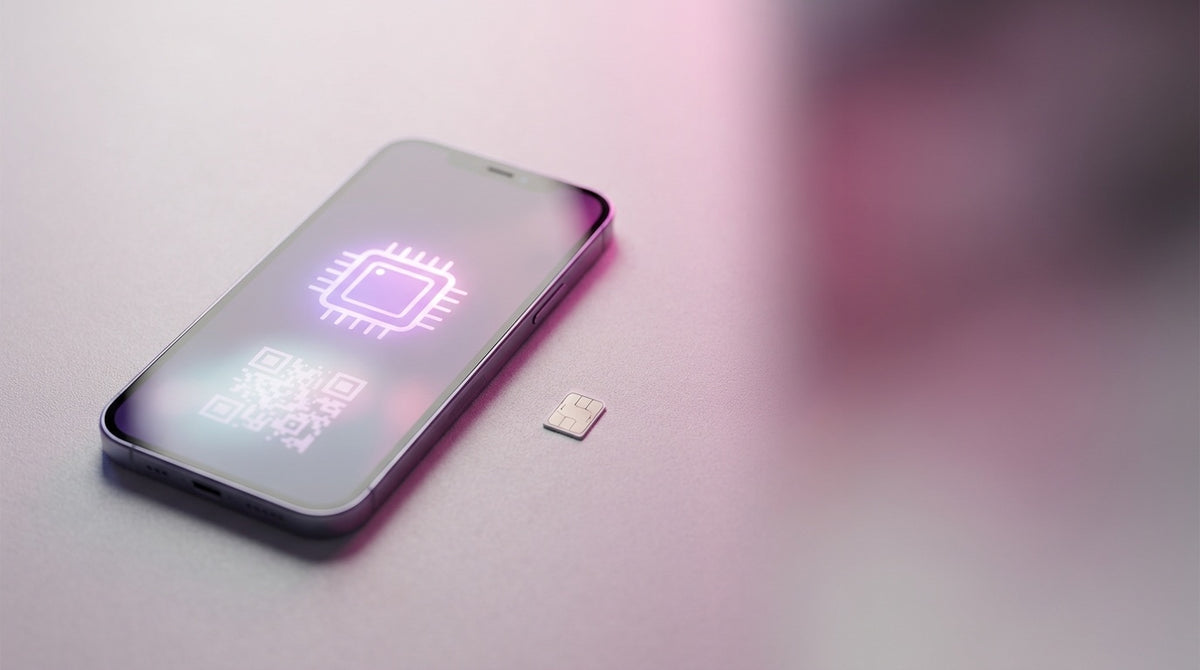
eSIM is a digital SIM built directly into the phone, with no plastic card. You do not take it out of a box or slot it in. Instead, your carrier sends it to you as a QR code or through its app. Once you scan the code, your number is active on the phone.
How eSIM differs from a physical SIM
A physical SIM is a small card you move from one phone to another. eSIM stays inside the phone, and the network profile is installed or removed digitally. You do not need a SIM eject tool and you cannot lose the card. Moving it to another phone happens through the carrier or the manufacturer's transfer feature, not by simply moving a card.
Many recent phones support both a physical SIM and an eSIM at the same time. You can keep two active numbers on the same phone, one on the SIM and one on the eSIM.
Advantages of eSIM
- Two numbers on the same phone, without a second slot.
- No card to lose or swap when you get a new phone.
- Switching carriers without a store visit, if the carrier allows online activation.
- A local data plan for travel, activated straight from an app, with no plastic SIM to buy at the airport.
Who should not go eSIM-only
If you often swap the phone between you and someone else in the family, a physical SIM stays easier to move from one phone to another. And if you travel often and prefer a local plastic SIM in every country, an eSIM-only phone, meaning one with no physical SIM slot, limits you to eSIM or roaming. In those cases, a phone with a classic SIM slot next to eSIM stays the simpler choice.
Which phones are eSIM compatible
iPhone
Apple introduced eSIM starting with iPhone XS, iPhone XS Max, and iPhone XR, and every model released after those supports it. In the US market, iPhone 14 and newer models sold there have no physical SIM slot at all, and run on eSIM only. At Smile Mobile, we clearly mark these "eSIM only" units in the product description, with no physical slot, so you know what you are getting before you buy.
Samsung Galaxy
On Samsung, the Galaxy S20 series and newer, the Z Fold and Z Flip series, the FE variants (S23 FE, S24 FE, S25 FE), and part of the A series (A35, A36, A54, A55, A56) support eSIM. The safest way to check any Samsung phone: go to "Settings" > "Connections" > "SIM manager". If you see the option to add an eSIM there, the phone is compatible.
Whether you choose an iPhone or a Samsung, eSIM support stays fully intact. Refurbished models from Smile Mobile keep full eSIM support, exactly like new units, and our team helps you install it right at the showroom.
How to get eSIM from Orange, Vodafone, or Digi
Orange
You can buy an Orange PrePay eSIM directly from the Orange online store, where you pick the eSIM option in the cart. If you are already an Orange subscriber with a compatible phone, you request eSIM activation from the My Orange app. Once the order is processed, you get an email with the details for installing the eSIM profile.
Vodafone
At Vodafone, existing subscribers can request an eSIM through the My Vodafone app, by calling *222, or at a Vodafone store. You get a QR code that you scan on the new phone. Cost and code validity depend on your plan, so check the Vodafone page before you request one.
Digi
When you order a Digi Mobil subscription, you choose the eSIM card type instead of a physical SIM. You get your number and QR code by email, within a maximum of 72 hours. The code stays valid for 30 days after it is generated. If you switch from a physical SIM to eSIM, or need a new eSIM, Digi charges a 5 lei fee, added to your next bill.
How to install eSIM step by step
On iPhone and iPad
- Make sure Wi-Fi or mobile data is on.
- Go to "Settings" > "Cellular".
- Tap "Add eSIM".
- Scan the QR code from your carrier, or open its app for direct activation.
- Keep the QR code handy until you see the eSIM installed.
On Samsung and Android
- Make sure Wi-Fi or mobile data is on.
- Go to "Settings" > "Connections" > "SIM manager".
- Tap "Add eSIM".
- Scan the QR code from your carrier to finish activation.
How to transfer eSIM to a new phone
If you are moving from one iPhone to another, Apple offers eSIM Quick Transfer. During the first setup of the new phone, you get the option to transfer your number straight from the old iPhone, without calling the carrier. If you add the eSIM later, go to "Settings" > "Cellular", tap "Add eSIM", and choose the transfer from the other iPhone. Both phones need to be on Wi-Fi, with Bluetooth on, signed into the same Apple ID, and the carrier needs to support the feature. When the eSIM activates on the new phone, it deactivates automatically on the old one.
If your carrier does not support a direct transfer, you request a new QR code for the new phone, the same way as a first activation.
Common eSIM problems
The QR code was already used
An eSIM QR code scans only once. If you already tried installing it on another phone, or the code expired, request a new one from your carrier. Do not try to reuse the same code, it will not work anyway.
No signal after activation
A restart solves most cases, right after the eSIM shows as installed. If you still have no signal, check in settings that the eSIM profile is set as the active line for calls and data, not just installed.
The phone shows "No SIM"
First check that you finished every installation step, not just the QR scan. If the message stays, a restart solves most cases. If it still does not go away, the signal is most likely weak where you are, so check again in an area with better signal.
Frequently asked questions about eSIM
Can I have two active numbers on the same phone?
Yes, if your phone supports a physical SIM plus eSIM, or two eSIMs, you can have two active numbers at the same time.
What happens to my eSIM if I change phones?
Your number stays yours, but the eSIM profile has to move to the new phone, either through a direct transfer on iPhone, or through a new QR code from your carrier.
How much does eSIM activation cost?
It depends on the carrier. At Digi, switching from a physical SIM to eSIM costs 5 lei. At Orange and Vodafone, cost depends on your plan, so the safest move is to check your carrier's page.
Does eSIM work while traveling, in roaming?
Yes, eSIM is especially useful for travel, since you can activate a local data plan straight from an app, without hunting for a shop at the airport.
Does a refurbished iPhone from Smile Mobile support eSIM?
Yes. Refurbished models keep the same eSIM support as new units, and our team helps you install it at our showrooms in Cluj-Napoca, Turda, and Vișeu de Sus, or by phone, at 0785 939 939.
How do I know if my phone is eSIM only, with no physical slot?
At Smile Mobile, any unit with no physical SIM slot is clearly marked on the product page, with an "eSIM only" label. If you do not see that mark, the phone also has a classic SIM slot.
Want to see the phones that support eSIM right now? Browse the iPhone and Samsung models available at Smile Mobile, or stop by one of our showrooms, where the team helps you install eSIM.